![Juno Logotype Blue.png]](https://knowledge.junojourney.com/hs-fs/hubfs/Juno%20Logotype%20Blue.png?height=40&name=Juno%20Logotype%20Blue.png)
In this article you will find:
How can I find and enroll to live events?
Where can I see the training that was assigned to me?
How to enroll in training?
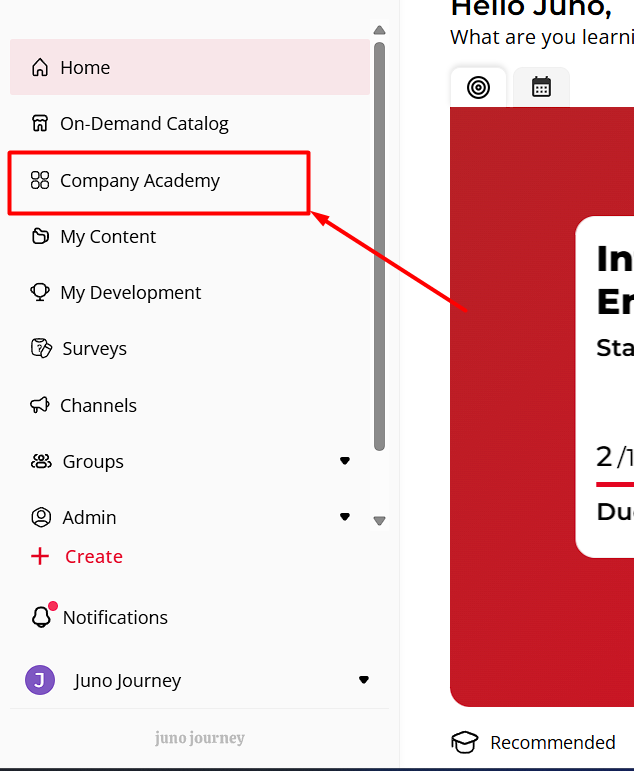
You can find all of the internal content that was created by your organization in the "Company academy" tab:
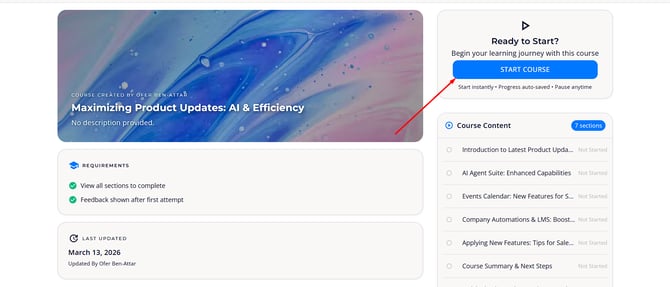
Once you find the training you were looking for, click on the card of the training. Click on "Start Course" and begin learning.
How can I find and enroll in live events?
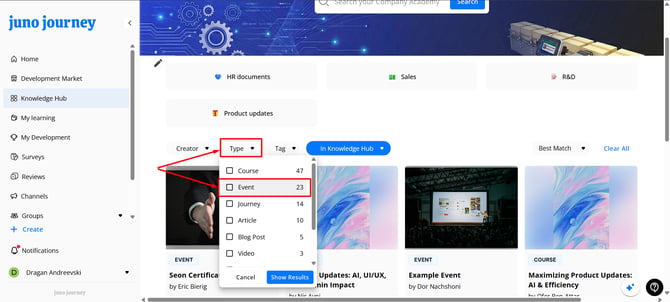
Use the filter "Type" on the top side of the catalog to see all live events and training sessions:
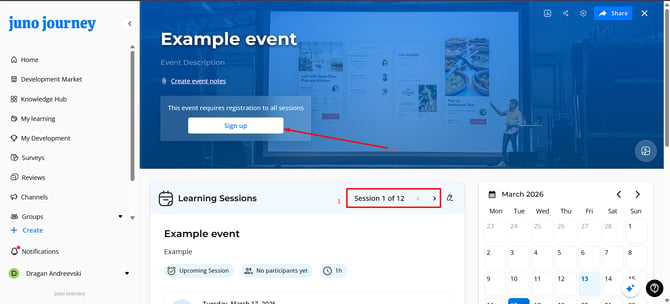
Once you have found a live session you wish to enroll in, click on the tab of the event.
You can scroll to see all of the sessions available for registration.
Once you find it, click on "Sign up".
Where can I see the training that was assigned to me?
As part of a group your team leader\ group administrator can assign or recommend content for you.
You can find all the content that is assigned to you in "My content" -> "My learning", and from there, you can find all the content you have assigned yourself, been assigned, and all the events that you are registered to.
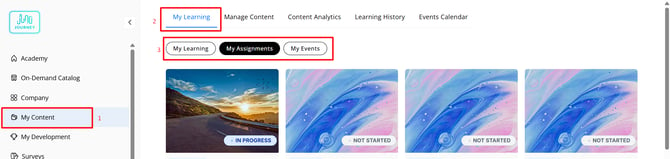
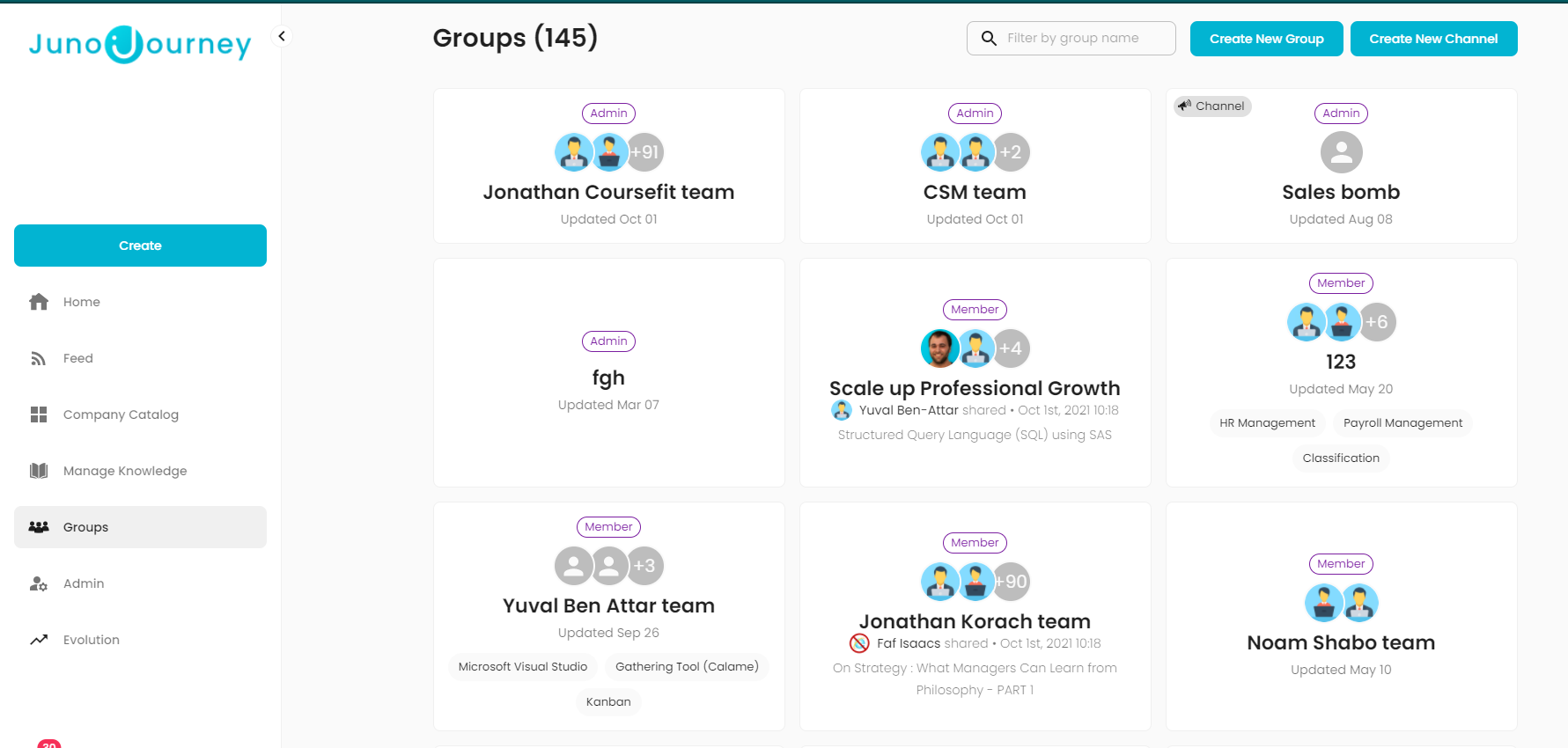
In order to view and consume all of the assignments, you can go to Groups at the left side of the homepage, or in the homepage itself as you scroll down. Choose your team group and get a view of the content assigned to your group.
💡 Need more help? Contact us @ support@junojourney.com